
Customize the Android main settings menu
Brave believes in a user-first Web, and that extends to your experience of using Brave itself. You can already customize the look and feel of the Brave new tab page, address bar, and more. Now, with Brave 1.84, you can also customize the main settings menu. This allows you to move the actions you tap most often to the top of the menu for faster access.
To customize the main settings menu in Android:
- Open Brave and tap “⋮” (main menu).
- Tap Customize menu and choose what you want to show/hide in the main menu.
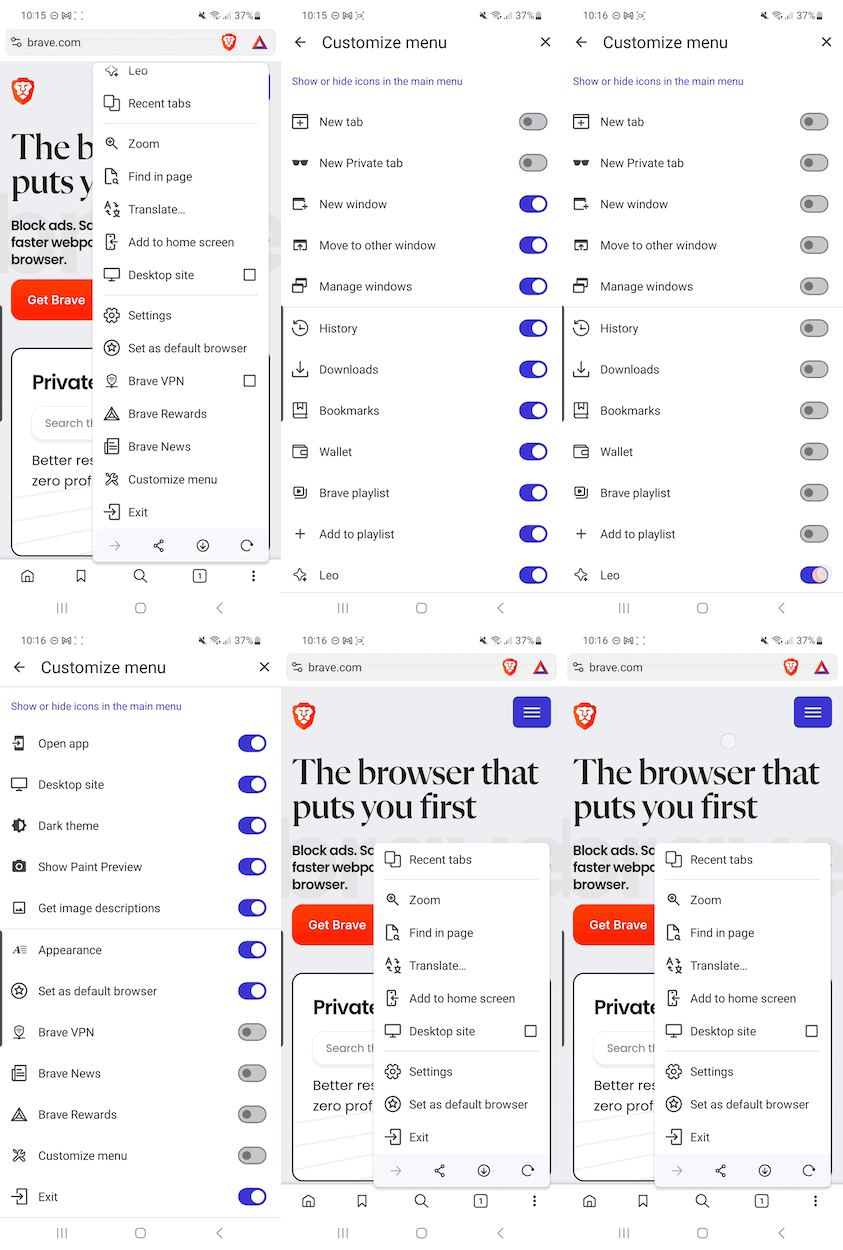 Customize the Android settings menu





