
Brave removes tracking metadata from Instagram and Facebook photos

This is the 40th post in an ongoing series describing new privacy features in Brave. This post describes work done by Rohit Agarwal (Senior Software Engineer). It was written by Shivan Kaul Sahib (VP, Privacy and Security).
Starting with desktop version 1.98, Brave browser automatically removes the hidden identifiers that Meta adds to your photos on Instagram and Facebook. This removal makes it harder for Meta to link the same photo across accounts and sites.
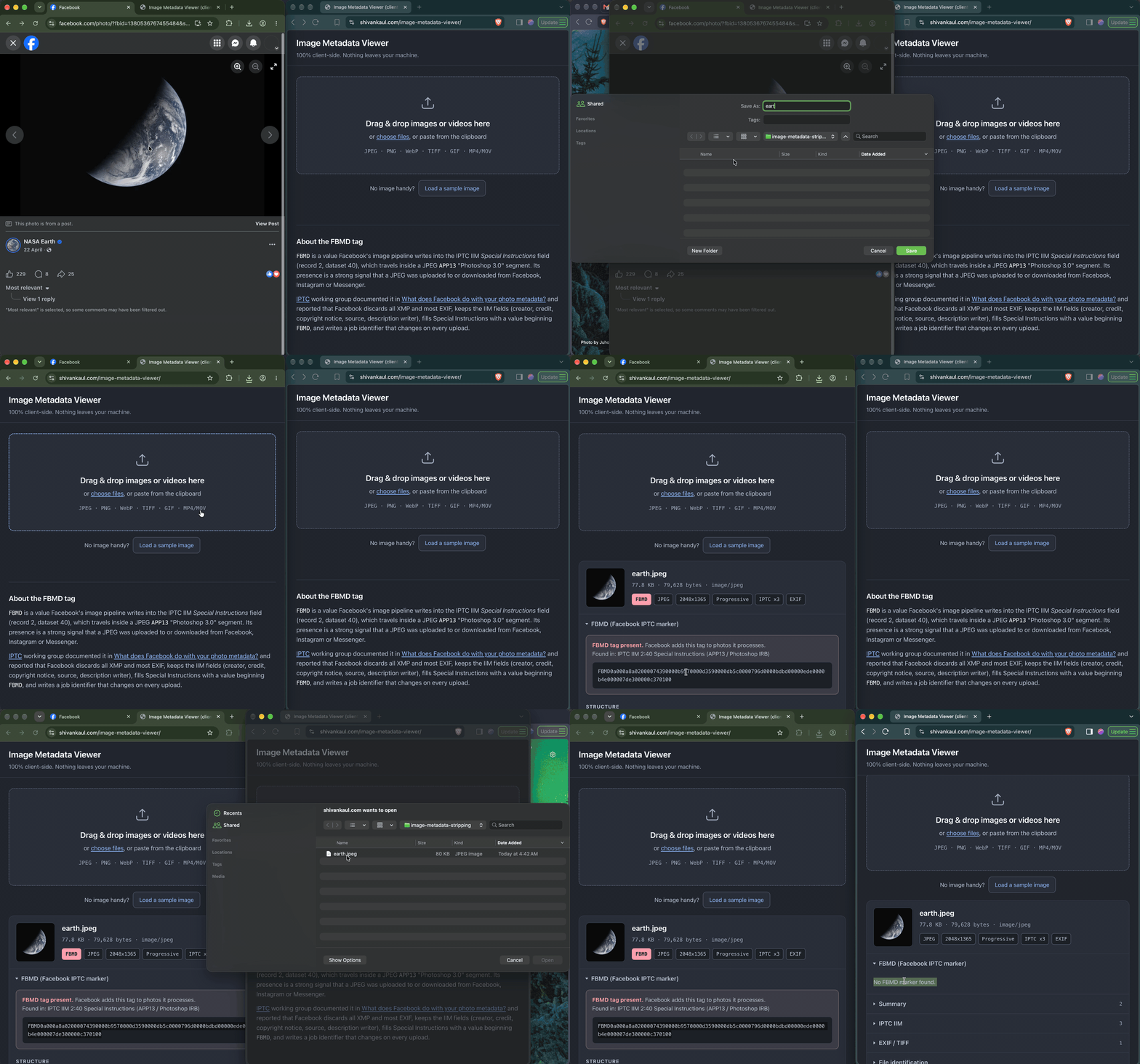
What a photo says about you
Photos you share online carry hidden data. That extra, invisible information is called metadata, and it contains things like date, time, GPS location, and camera model. Any app or website that opens the file can read it. Metadata can have legitimate uses (for example, photo apps use it to sort your library by date or place). But it can also reveal more than you meant to share.
How Meta’s identifier can track you across the Web
Let’s say you run an Instagram account under a different name, separate from the real-name Facebook account your family and coworkers know. You’re careful to keep them apart: a different email alias for each account, maybe even a trustworthy VPN to hide your IP address from Meta. Now, a friend posts images on Facebook urging people to vote. You download one of them and post it to your Instagram account. Unknown to you, Meta added a hidden identifier to that photo. Because the identifier travels with the file, Meta could use it to connect your Instagram account to your friend’s Facebook post, and to the real-name network around it. Once that connection exists, it’s out of your hands: Meta could suggest your Instagram account to people who know you from Facebook. The link could leak in a data breach, or be handed over in response to a legal request.
Meta stores this identifier in metadata defined by the International Press Telecommunications Council (IPTC). The IPTC sets standards for the news industry, including a common format for photo metadata. Photographers and publishers use it to attach details like captions, credits, and copyright to an image. In the past, the IPTC tested what Facebook does to photo metadata. Facebook removed most of the metadata people uploaded, but added a value to the “Special Instructions” field. The value starts with “FBMD” and is followed by a long string of characters. When a second person downloaded the photo and uploaded it again, the value stayed the same. Brave ran the same test in July 2026 and found the identifier is still there.
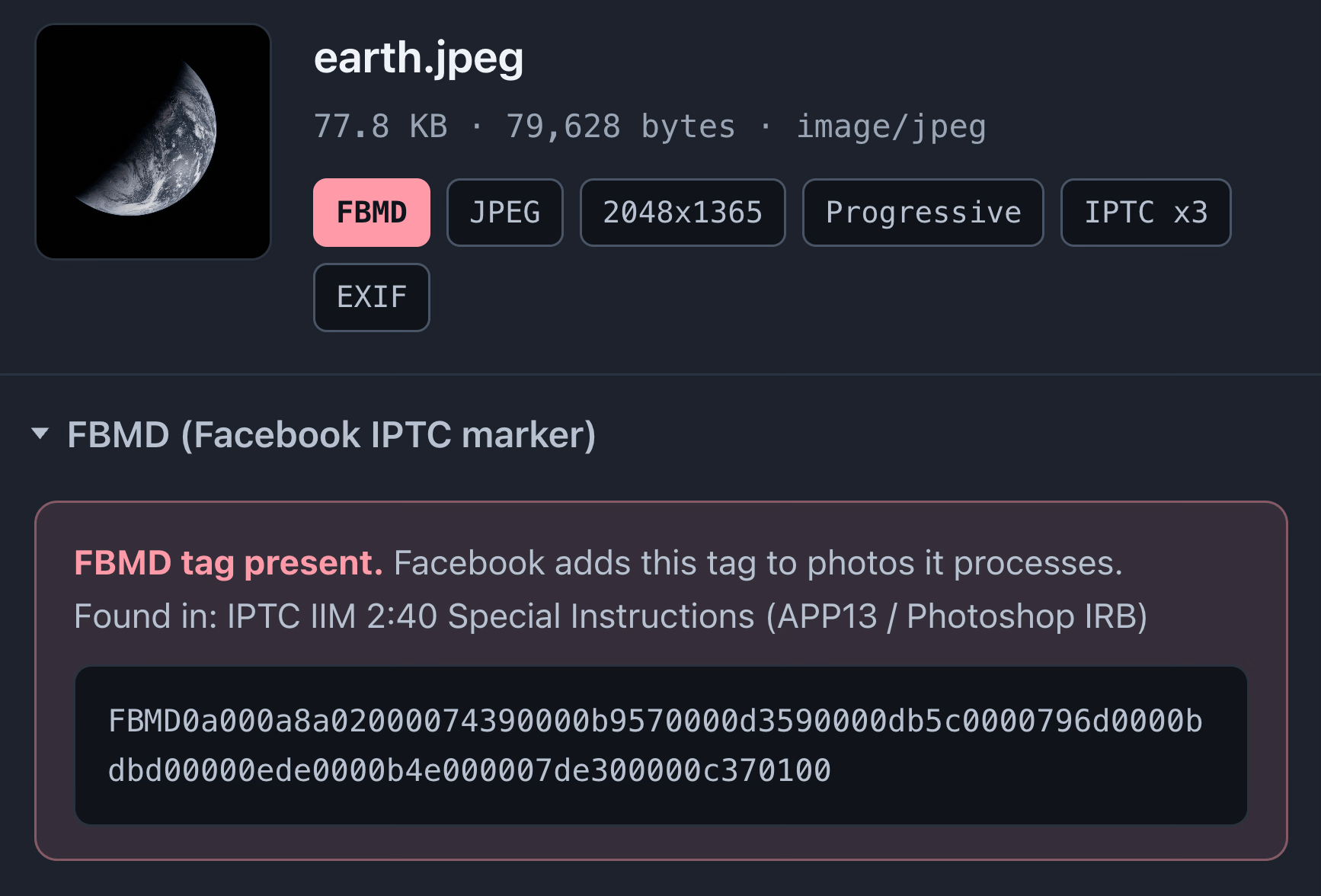
Meta hasn’t revealed exactly what it uses this identifier for or why it is added to image metadata. It’s possible Meta doesn’t use the identifier for tracking. However, with no public information, we have to take into account any possibility and the effects on user privacy.
How Brave removes the identifier
Brave removes the FBMD identifier at two points:
- When you save an image, Brave removes the identifier before the download finishes. This protects you even if you upload the image later with another browser or app.
- When you upload an image to a website, Brave uploads a clean copy. The original file on your computer stays as it is.
Brave’s metadata stripper is written in C++ with no extra libraries, so it stays small and fast. You can follow the work on GitHub.
Try it out
You can test this metadata removal feature with any photo from Facebook and this image metadata viewer website, which runs entirely in your browser. You can also use the Get IPTC Photo Metadata tool. To compare, you’ll need Brave and a browser without this protection, such as Chrome.
First, find the identifier:
- In the other browser, open a photo on facebook.com.
- Right-click the photo and choose Save Image As…
- In the same browser, open the image metadata viewer and choose the saved file.
- Check the “Special Instructions” field. You’ll find a value that starts with “FBMD.” If you saved the photo with Brave, you won’t find the value at this point since Brave already removed it on download.
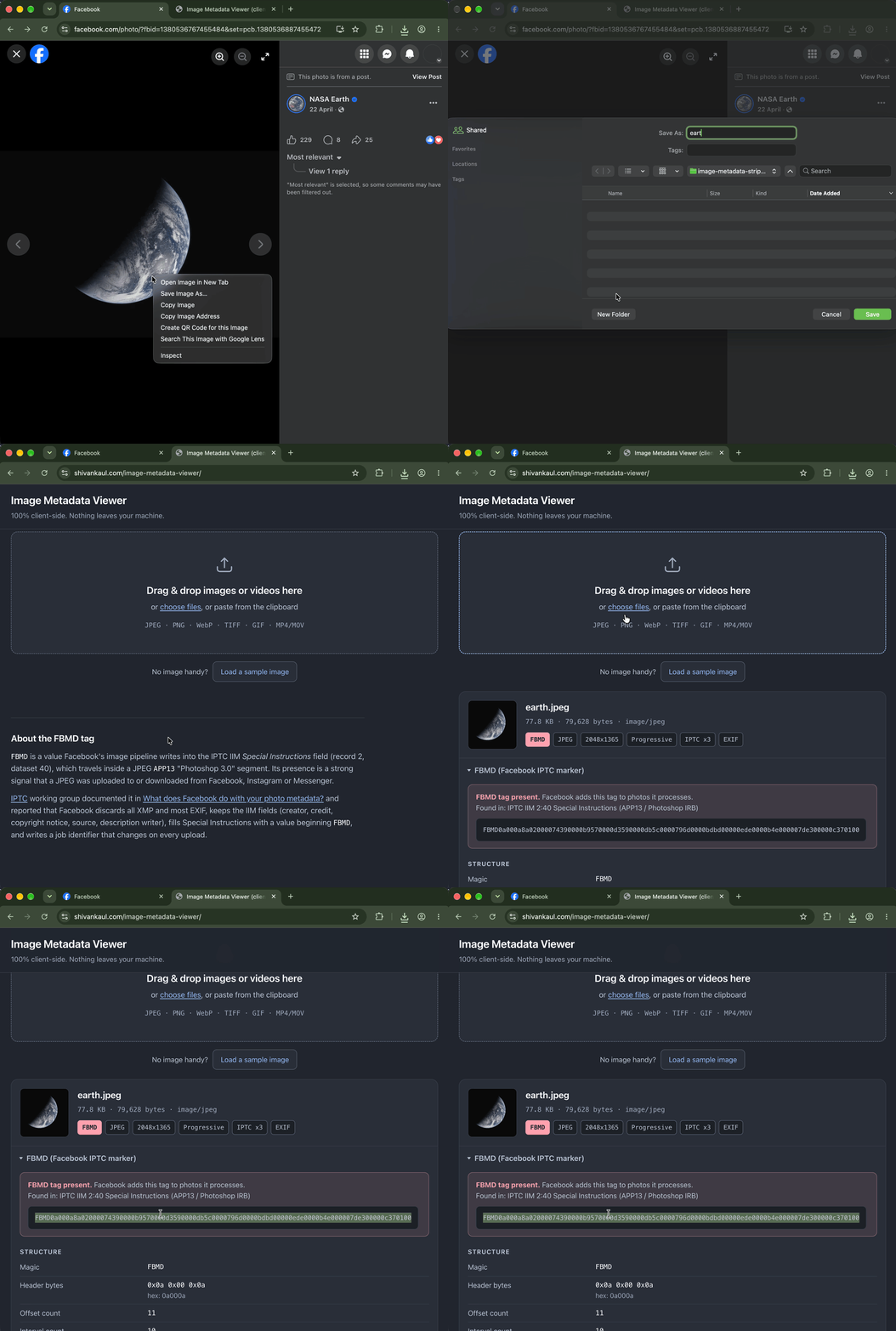
Next, open the image metadata viewer in Brave and choose the same file. The “FBMD” value is gone.
Coming soon
This is just the beginning. In the future, we’d like to add the ability to remove geolocation, device, date, and time data from images. This data might have legitimate uses (e.g. organizing your online photo library), so we’ll give you control over when Brave removes it. We also plan to bring this feature to Android and iOS.
As always, you can share feedback on the support form, GitHub, or any of our social media channels.

