
Brave launches Email Aliases to keep your personal email address private from websites

This is the 39th post in an ongoing series describing new privacy features in Brave. This post describes work done by Pavel Beloborodov (Sr. Software Engineer), Tarik Demirović (Sr. Automation and Infrastructure Engineer), Harold Spencer Jr. (Sr. Staff Engineer) and Agustín Ruiz (DesignOps Lead). Arthur Edelstein (ex-Brave Sr. Research and Privacy Engineer) contributed as well. It was written by Shivan Kaul Sahib (VP, Privacy and Security).
Starting with today’s desktop version 1.94, the Brave browser is offering Email Aliases to allow you to sign up for online services without revealing your personal email address. Email Aliases can keep your email free of spam, and help you protect your privacy by generating unique email addresses that forward to your primary email inbox.
How your email address can be used to track you across the Web
Your email address is a durable, universal identifier. When shared with websites, it can be used for tracking your activity across the Web. Ad tech companies like Google, Meta, and LinkedIn publicly promote how businesses can upload email addresses to match customers against their own user profiles. While Brave offers best-in-class protections against third-party trackers like Meta Pixel that are embedded on websites, your data can still be shared using techniques like server-side matching.
For example, imagine you want to buy a pair of trail running shoes from amazingshoes.com, and the website asks for your email address when signing up. This by itself isn’t suspicious, since the website needs to know where to send your receipt. But amazingshoes.com also uses Meta ads, so upon receiving your address it also uploads your email address to Meta’s server-side audience-matching tool. Meta already has that exact email address on file from the Facebook account you created years ago. The two records match, and Meta now knows that you, specifically, bought expensive trail running shoes. Since it’s happening server-side, none of this traffic goes through your browser, so blocking trackers on the page can’t prevent this action.
Worse, websites vary widely in how well they protect the data they collect. If a website you signed up for is hacked, your information can be leaked and end up with data brokers or worse. Your email address then circulates far beyond the company you originally trusted with it, and can show up in phishing campaigns for years afterwards.
We built Email Aliases to plug this privacy hole. Email Aliases is integrated into Brave, which means you can generate privacy-protecting email addresses right from a website’s sign-up form. These aliases then forward to your real, primary email address, which remains hidden from websites, thus breaking the cross-website tracking link. The feature can also prevent spam, since you can easily deactivate your email alias and create a new one.
Brave already isolates what websites can store in the browser. Cookies, caches, and network state are partitioned per site, so a tracker can’t use what it stored on one site to recognize you on the next. But partitioning stops at the edge of the browser. It can’t stop two companies from comparing notes on their own servers. Email Aliases extends that same partitioning past the browser.
How to use Email Aliases
Creating a Brave Account
In order to create an email alias, you’ll first need to create a Brave account with an email address and password. Note that this account is separate from the Brave Premium account (which Premium users use for managing subscriptions to some of our services, such as the Brave VPN).
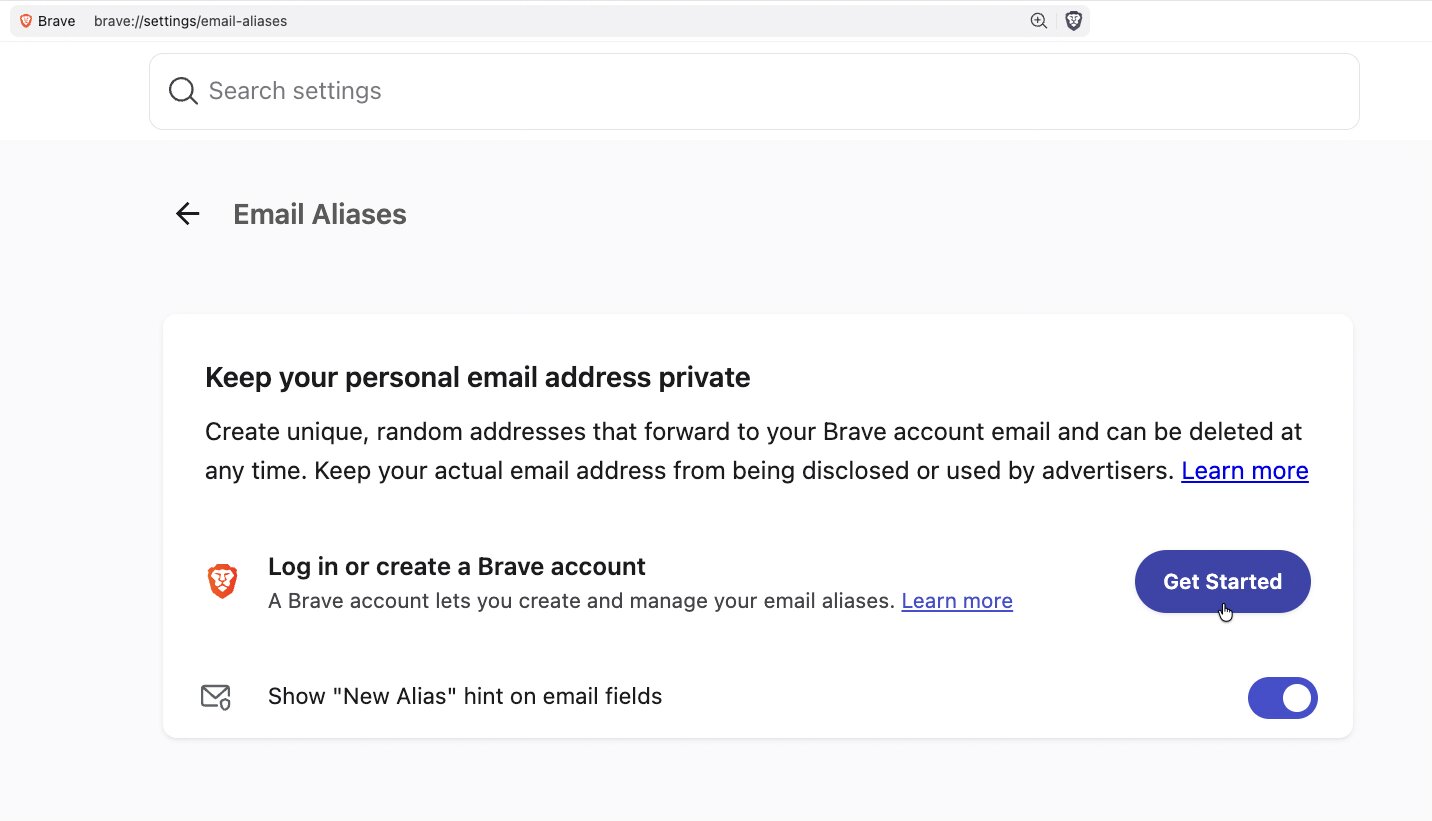
- Go to brave://settings/email-aliases and click “Log in or create a Brave account”
- Provide your email address and a strong password
- Follow the instructions to verify your email
Creating an alias on a website
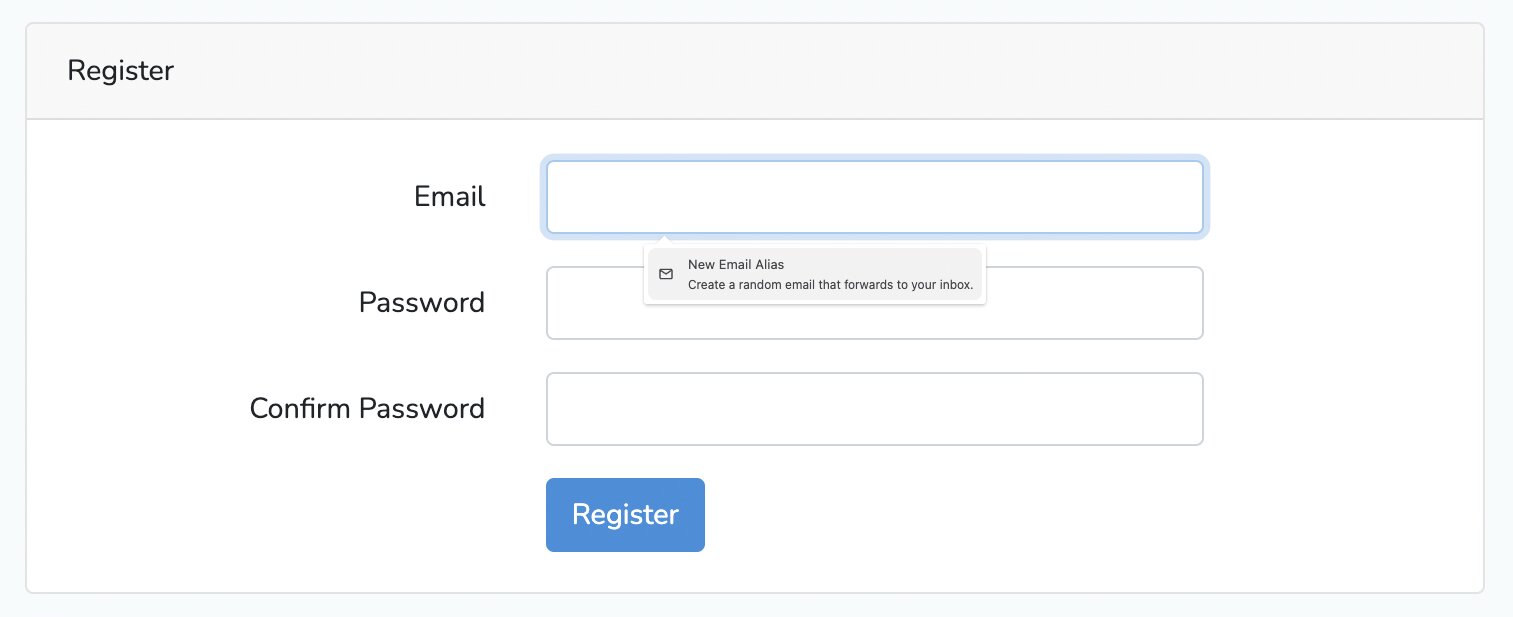
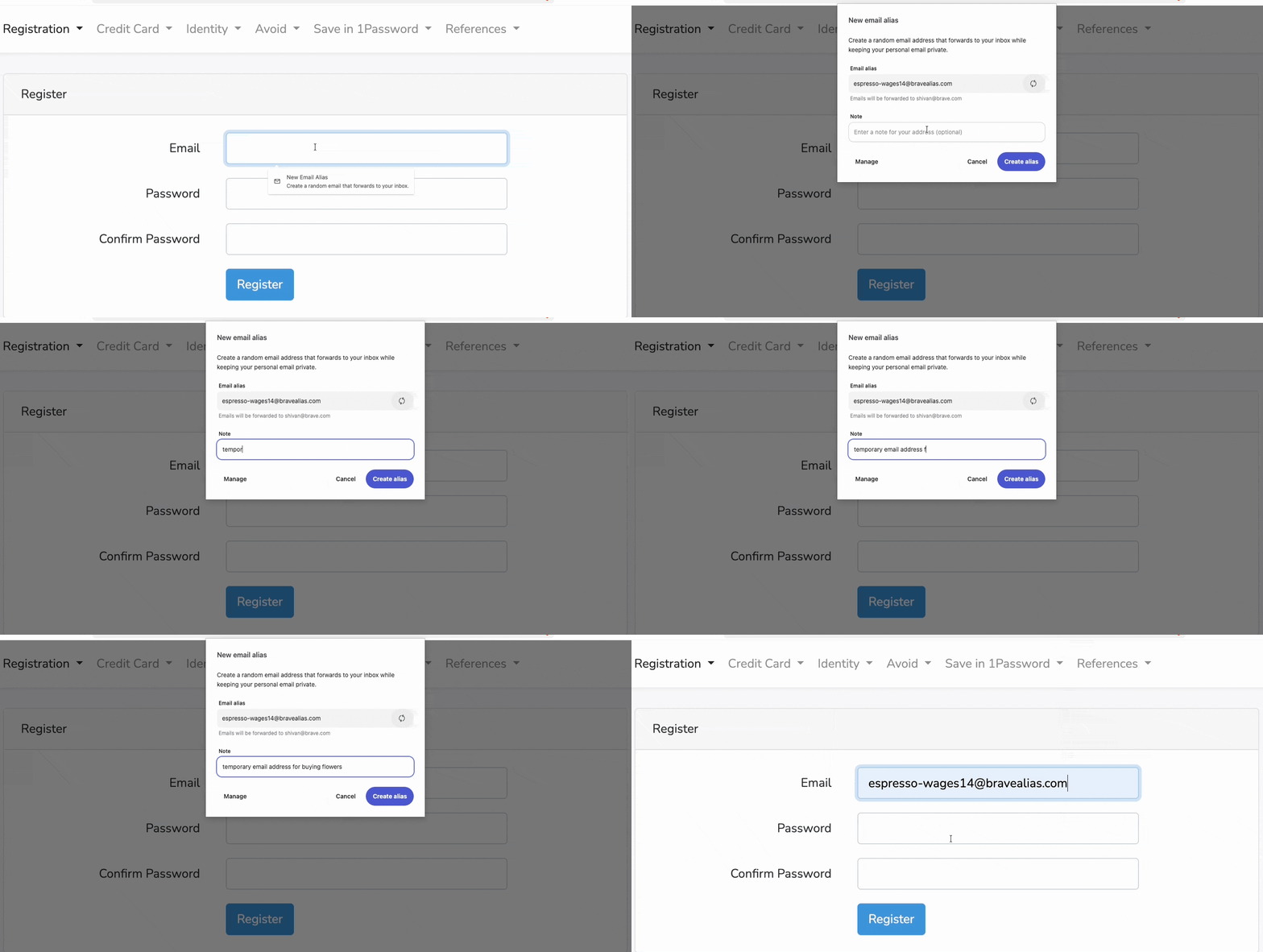
Once you’re logged into your Brave account, simply click into an email field on any website to create an alias.
Right click (context menu)
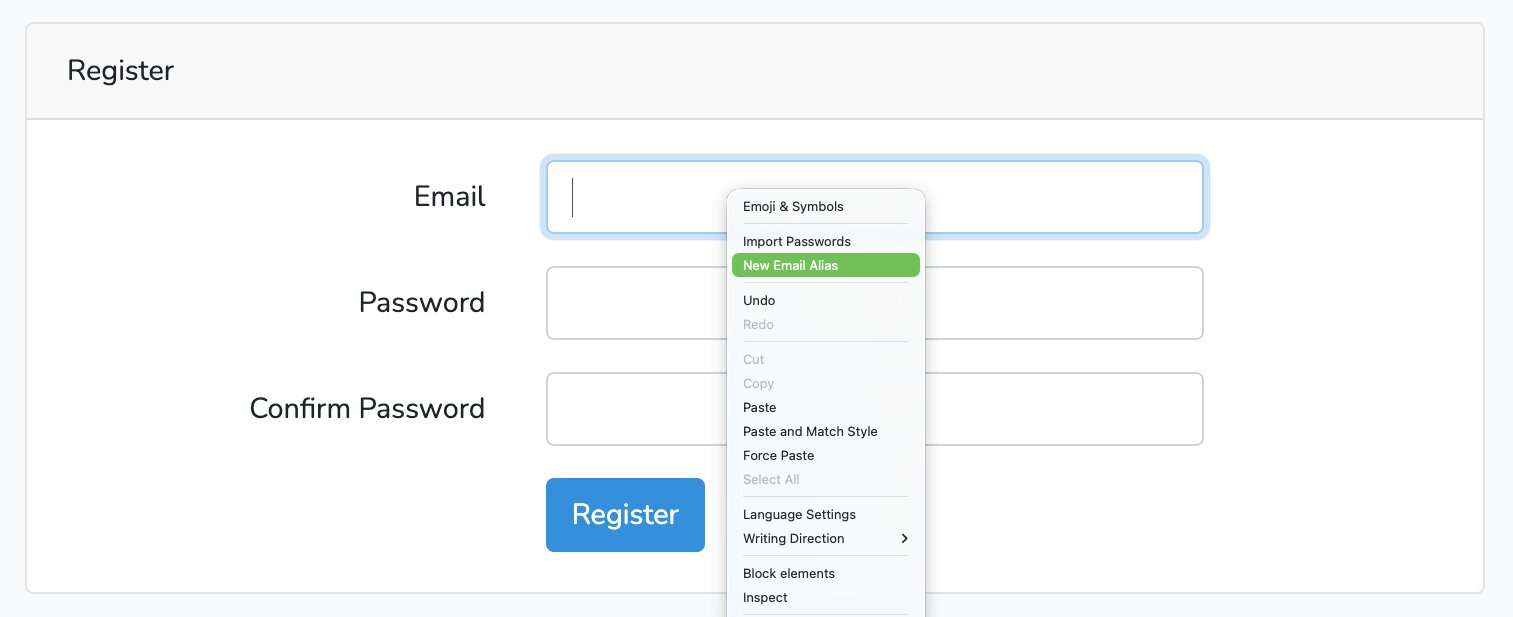
If the “New Email Alias” hint doesn’t appear, you can right-click the email field and select ‘New Email Alias’ to create one manually.
Managing aliases
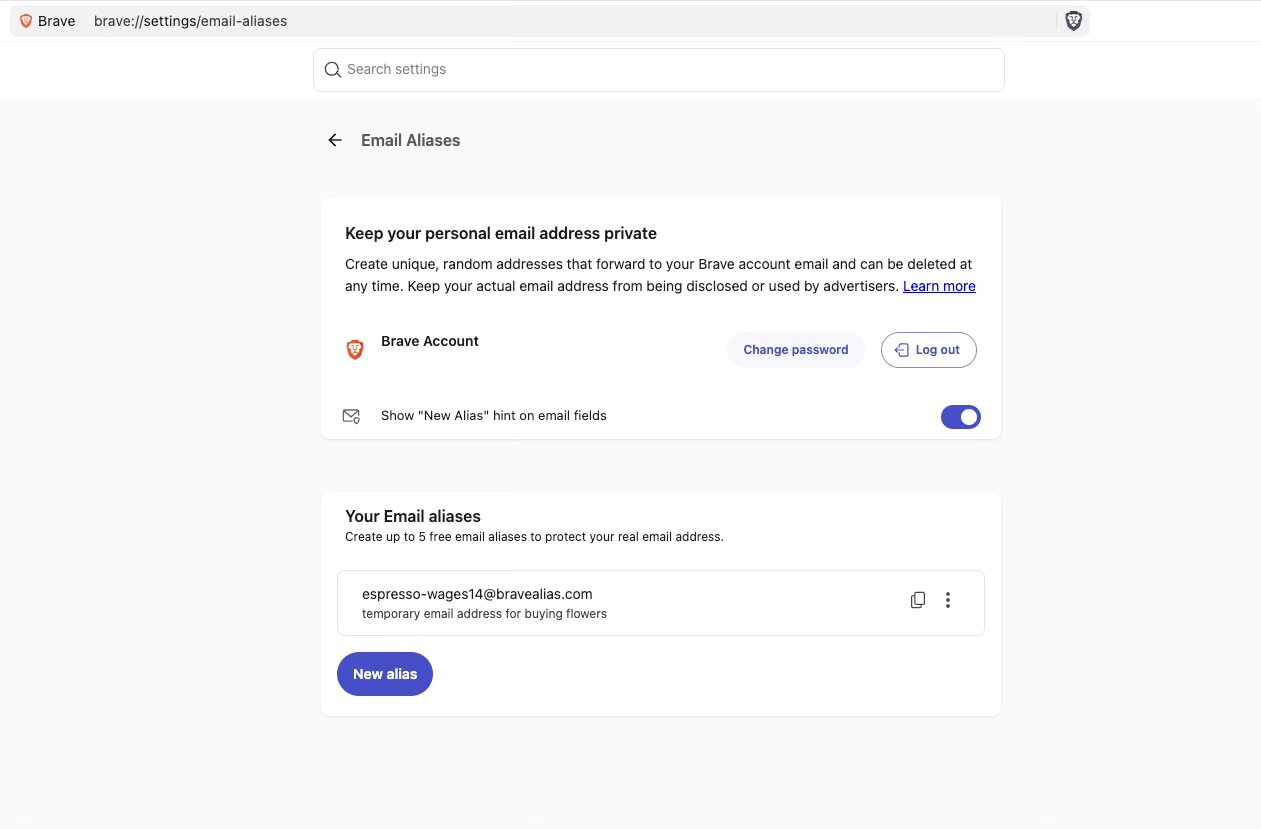
You can manage all your aliases by going to Settings > Autofill & Passwords > Email Aliases (or directly follow the link at brave://settings/email-aliases).
Why do I need a Brave Account to use the Email Aliases feature?
Under the hood, Email Aliases uses Brave Accounts, a brand-new way of signing into Brave using an email address and password. Email Aliases considers the email address associated with your Brave Account as the primary email address, and forwards all email delivered via your aliases to that primary email address.
Brave Accounts uses OPAQUE, a recently standardized cryptographic protocol, so your password is never sent to Brave’s servers. For more information on Brave Accounts, check out our blog post: “Brave Accounts: your password never leaves your device, ever.”
What information can Brave see if I use Email Aliases?
As with everything we do, Brave’s goal is to protect user privacy. Once you sign up for Email Aliases, we’ll securely store the email address associated with your Brave Account and any email aliases that you generate. All data is encrypted-at-rest. Emails sent to an alias are forwarded to your primary email address.
Brave doesn’t read the contents of emails sent to an alias. We only process emails to perform standard spam and virus filtering (we need to do this to maintain our status as a reputable email provider). Once an email is delivered, it is deleted from our servers within seconds.
If you add notes to an alias (e.g. “Throwaway account for SendMomFlowers.com”), those notes are stored locally on your device. If you turn on Brave Sync, your notes will be encrypted end-to-end (i.e. hidden even from Brave) between devices on the same Sync chain. Only you can decrypt or read these notes.
For more details, see the section for email aliases in our privacy policy and our support page.
What’s next for Email Aliases
In this initial release, we’re offering everyone the option of five free email aliases. Running a mail forwarding service has ongoing costs, so we’re starting small while we gather feedback on how people use the feature. We’re working hard to bring Email Aliases to mobile, and we plan to offer a Premium version of the feature in the future.
During this phase, some Brave-forwarded emails might go to your spam folder, as we build up our reputation score as a mail provider. If that happens, please mark the message as “not spam.” This ensures that future emails get routed correctly and improves our sending reputation. If you find that too much mail is going to spam, please let us know.
You can share feedback on the support form, GitHub, or any of our social media channels.
Note: If you’re a Brave Origin user and you opted to upgrade the existing version of Brave on your device, the Email Aliases feature will appear in the Settings panel where you can toggle features on/off. The Email Aliases feature will not appear in the version of Origin available via separate download (aka the “standalone” version).

