
Multi-select tabs in the new-tab tray
In Brave 1.82 for iOS, we introduced an all new experience of the new-tab tray, allowing you to easily access Shred and page history; toggle between private and non-private tabs; and find or close tabs.
In Brave 1.83 for iOS, we’ve added even more functionality to the new-tab tray, with multi-select. This feature allows you to select multiple tabs at once and close or shred several tabs in a single action.
To access the new-tab tray on iOS and try multi-select:
- Open Brave and tap the number icon in the bottom toolbar.
- Long-press on any open tab in the list.
- Tap the Select Tabs option in the sub-menu that appears.
- Tap all the open tabs you’d like to include, and then tap Shred or Close.
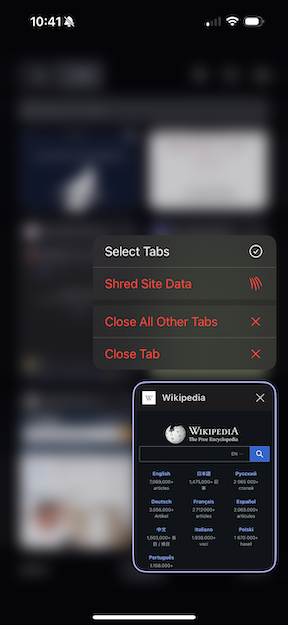 Tab multi-select in the iOS tab tray

