
Leo memories
Leo is the smart AI assistant built right into the browser. Now Leo can be even smarter in its responses, with Memories. The Memories feature allows Leo to remember specific facts, preferences, and information, and tailor its responses just for you. This information stays on your device, which helps ensure a more private AI experience.
To create a memory in Leo:
- Open the desktop browser and then click the main settings menu (
 ).
). - Click Leo, and scroll to Memories.
- Toggle on Enable User Memory.
- Click Add new memory, and enter some information you’d like Leo to remember. Enter as many as you like (you can edit or delete memories at any time).
Learn more about Leo customization and memories.
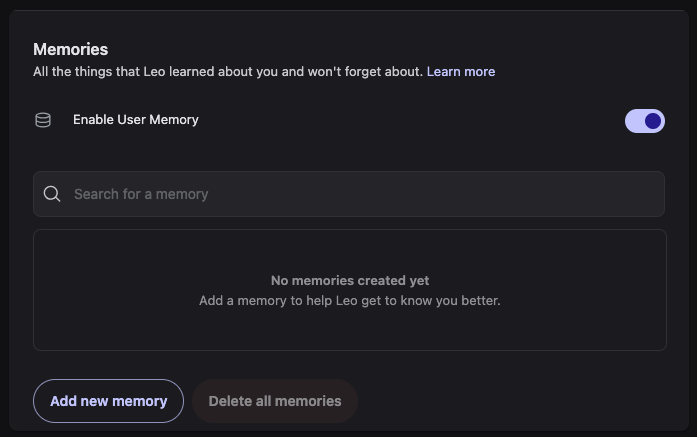 Enabling the Memories feature in Leo

