Bottom address bar

While not new in 1.82, having the option to move the address bar to the bottom of the browser was one of our most requested features. We’re mentioning it here again so everyone can give it a try.

To move the address bar to the bottom of the browser:

  1. Open Brave on your Android device, and tap the main menu ("").
  2. Tap Appearance.
  3. Toggle the Address bar setting.

Alternatively, you can just long-press the address bar.
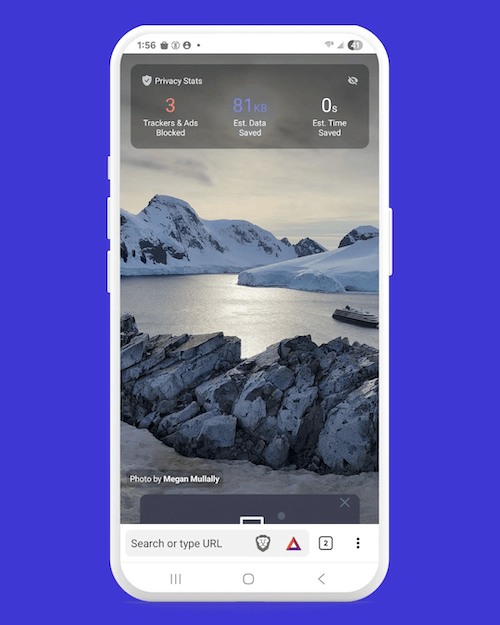
Address bar moved to the bottom of the browser Address bar moved to the bottom of the browser

Brave logo

Almost there…

Please continue the installation of Brave in the .

Google Play app .

You’re just 60 seconds away from the best privacy online

  1. Download Brave
  2. Run the installer
  3. Import settings
  1. step 1
    Download Brave

    Open the installer from Chrome's downloads (it should be in the upper right corner of this window).

  2. step 2
    Run the installer

    If you're prompted to, click “Yes” in the User Access Control dialog.

  3. step 3
    Import settings

    Wait for the installation to finish, then import your browser settings from Chrome.

If your download didn’t start automatically, click .

Need help?