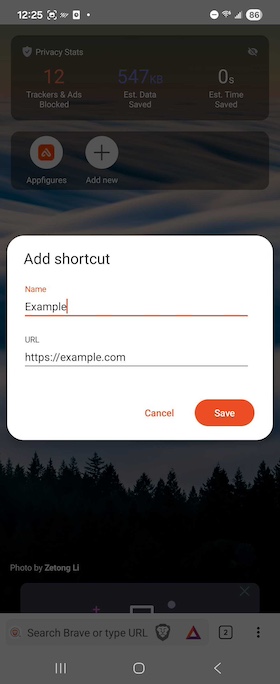
Pin website shortcuts for faster access to favorite sites

In version 1.86, we added the ability to pin website shortcuts to the new tab page in Brave. Once you’ve pinned a site, you’ll be able to access it with a single tap any time you open a new tab in the browser.

To pin a website shortcut:

  1. Open Brave, and then open a new tab.
  2. Tap the Add new button.
  3. Enter a website name and URL.
  4. Tap Save.

Pin websites on Android Pin websites on Android

Brave logo

Almost there…

Please continue the installation of Brave in the .

Google Play app .

You’re just 60 seconds away from the best privacy online

  1. Download Brave
  2. Run the installer
  3. Import settings
  1. step 1
    Download Brave

    Open the installer from Chrome's downloads (it should be in the upper right corner of this window).

  2. step 2
    Run the installer

    If you're prompted to, click “Yes” in the User Access Control dialog.

  3. step 3
    Import settings

    Wait for the installation to finish, then import your browser settings from Chrome.

If your download didn’t start automatically, click .

Need help?